
HoudahGeo 7.2 is out, and the headline feature is reverse geocoding: the process of turning GPS coordinates into a city, region, or country name.
If you shoot with a GPS-equipped camera or phone, your photos already carry latitude and longitude. What they don’t carry is the human-readable part. “47.0502, 8.3093” doesn’t mean much at a glance. “Lucerne, Switzerland” does. Reverse geocoding fills in that gap, and HoudahGeo has always let you choose which service does the filling.
With 7.2, there’s a new option, an improved one, and a more flexible way to use the ones you already had.
Why reverse geocoding isn’t as simple as it sounds
A quick note before getting into the services themselves: reverse geocoding is genuinely useful, but it has limits worth knowing about.
City, region, and country names aren’t unique. The same place can have several names depending on language, and that’s before you get into villages that share a name with a dozen other villages in the same country. If you’re searching your library by location name later, this can get messy.
For this reason, many photo cataloging tools ignore reverse geocoding information. Instead, when searching for photos by location, they first convert your search input into coordinates and then find photos taken nearby.
It’s also worth remembering that location names are personal. You might want “Grandma’s house” rather than a street address. A real estate photographer might want “Patio Area.” HoudahGeo won’t generate that kind of name automatically — for good reason, since no service could guess it — but you can always assign your own names manually or save them as Places for reuse. Think of location name (sometimes called sub-location in photo metadata) as a personal refinement of the city, state, country names that reverse geocoding can produce.
So treat reverse geocoding as a convenience, not a requirement. Some people skip it entirely and rely on coordinates alone, letting their cataloging tool work out nearby photos from the numbers. Others want names on every photo. HoudahGeo supports both habits.
The five services, and what each one is actually good at
Apple Core Location. This is the option that needs nothing from you: no signup, no key, works the moment you open HoudahGeo. The catch is Apple’s rate limits, which are tight. Run a big batch and you’ll likely need to pause and retry a few times before everything resolves. Fine for occasional use, less fine if you’re processing a few hundred photos from a trip in one sitting.
GeoNames (online). Also works immediately, through a username shared across all HoudahGeo users. That shared quota is the trade-off: when it’s exhausted, everyone using the shared username waits. Signing up for your own GeoNames username takes a minute, is free, and gives you a quota that’s yours alone: 10,000 credits a day as of this writing, with a 1,000-credit hourly cap. Reverse geocoding costs 3 credits per photo, and altitude lookup costs a fraction of a credit, so a free username comfortably covers a few thousand photos a day before you’d ever need to think about it. If you outgrow that, GeoNames sells premium credit packs on its “Best Price” tier from 40€ for 100,000 credits up to 300€ for 25 million, and a donation to the project is always a good idea regardless. GeoNames also offers a Local Language option that tries to match the language of the location itself, which is a nice touch if you’re geocoding photos from a multilingual region.
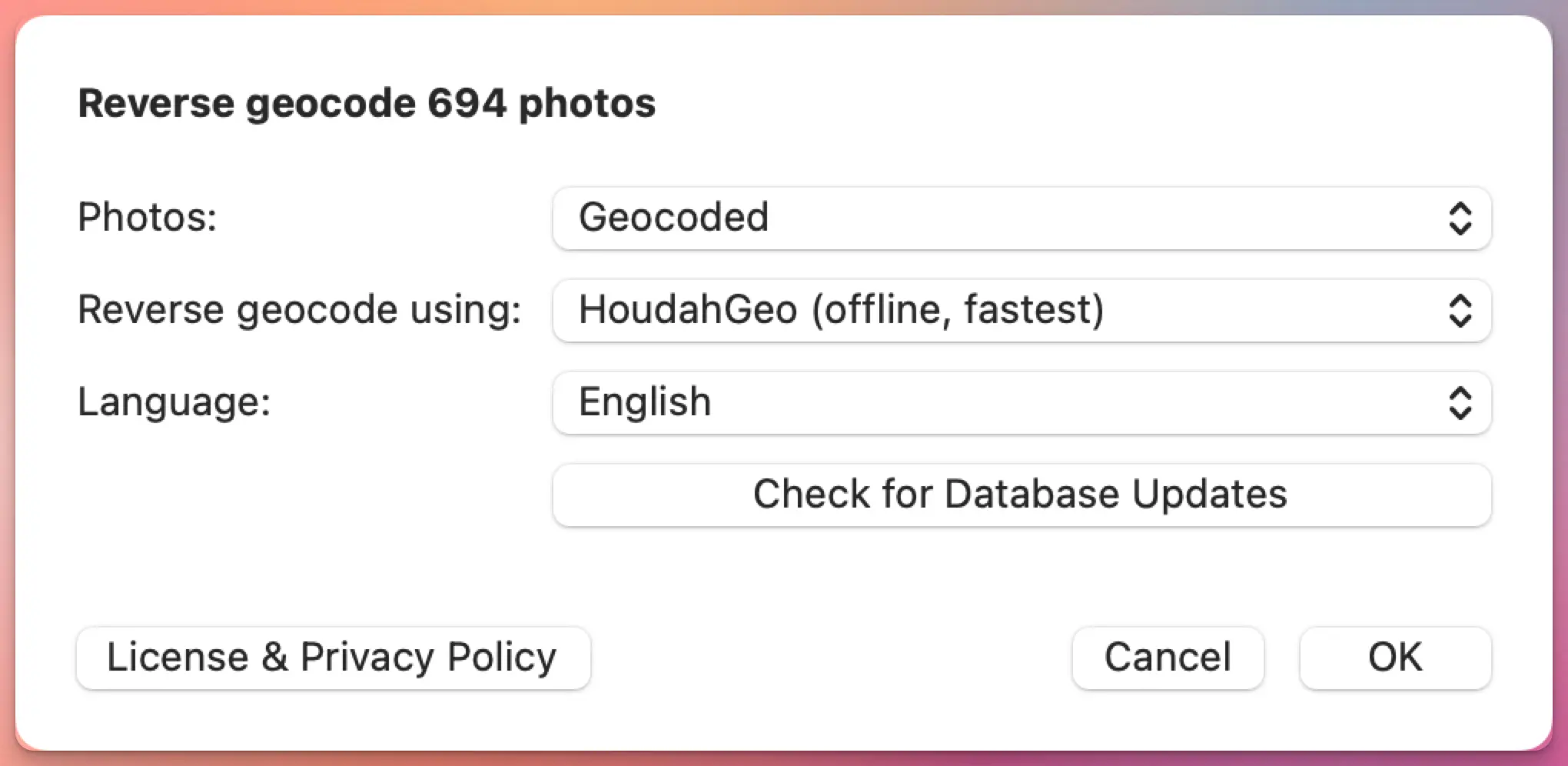
HoudahGeo Offline. Built into the app, using a local copy of GeoNames data. After an initial 30 MB download, it works without any internet connection at all, and it’s the fastest option by a clear margin. In 7.2, we’ve improved its accuracy through better feature-code ranking, population-based estimates, and a refreshed cities database. The honest limitation: it doesn’t know the actual shape of a town or village. It finds the nearest known place center and estimates size from population, so in areas with several small villages close together, it can occasionally pick a neighbor instead of the place you were actually standing in.
OpenCage. Pulls from OpenStreetMap, GeoNames, and other open sources, and because it works from real geographic shapes rather than just a center point, it tends to do better than GeoNames or the offline service in places with tightly packed villages. HoudahGeo includes a shared trial key so you can test it right away, but OpenCage is upfront that the free trial is for testing, not regular use — it caps out at 2,500 requests a day. For ongoing use, OpenCage offers both monthly subscriptions starting at $50/month and one-time credit packs that suit the way most people use HoudahGeo better: $25 for 10,000 requests, $175 for 100,000 requests. Buy a block, use it at your own pace across however many photo trips it takes, and top up when you’re running low.
BigDataCloud. New in 7.2. Where GeoNames and the offline service work outward from a place’s center, and OpenCage works from shapes, BigDataCloud works from administrative boundaries — the official lines that define where one municipality or region ends and the next begins. That makes it more reliable in areas with no nearby town at all: open water, mountains, deserts. It doesn’t store the coordinates it processes, which is a reasonable privacy default if that matters to your workflow. BigDataCloud requires your own API key, but signup takes under a minute and the free tier is genuinely usable: 50,000 requests a month as of this writing, which covers most personal photo libraries without ever reaching for a credit card.
Bring your own key, if you want to
For GeoNames and OpenCage, HoudahGeo 7.2 lets you add your own API key in HoudahGeo › Settings… › Geocoding Services, though you don’t have to — the shared credentials work for casual use. BigDataCloud works differently: there’s no shared key to fall back on, so you’ll need your own from the start. The signup takes under a minute, and the free tier is generous enough that this is rarely a real barrier.
None of this changes which service gives you the “best” results — that still depends on where you shot and what you’re trying to get out of it. If a service has been giving you names you’re happy with, there’s no reason to switch. If something’s been bugging you — wrong village, missing region name, English names where you wanted local ones — this is a good moment to try one of the others. Switching services in HoudahGeo takes one menu, not a project.
Also in this release
HoudahGeo 7.2 added more language options to reverse geocoding using OpenCage.
A few smaller fixes worth a mention: drag-and-drop is smarter now, so dropping a mix of photos, videos, and GPS track logs onto the Photos tab sorts everything into the right place automatically — no more switching to the Tracks tab first.
We also fixed several crashes, including ones tied to macOS 26, importing from Apple Photos, and unreadable HEIC/MOV pairs, and added optional crash reporting (off by default, toggle it in Settings › Advanced) to help us catch the next batch faster.
HoudahGeo 7.2 is a free update if you purchased your license, or your last upgrade, on or after June 21, 2025 — that’s the cutoff for the 12 months of free updates included with every license. If your upgrade coverage has expired, you can renew it at a discount from within the application.
2 thoughts on “HoudahGeo 7.2: Reverse Geocoding Expanded”
Comments are closed.