
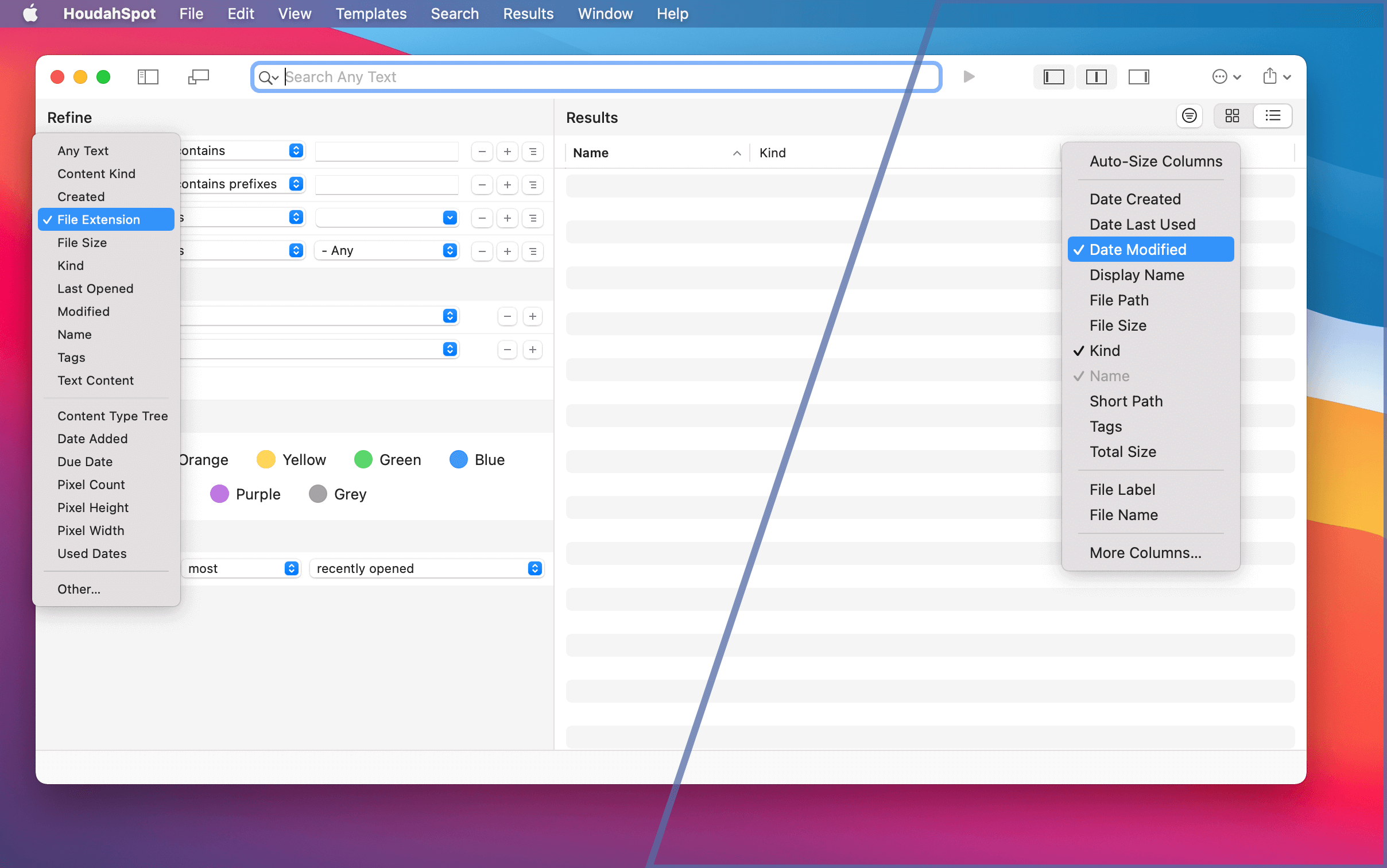
macOS 11.0 Big Sur has introduced a dramatic new look representing a significant aesthetic departure from previous macOS versions. HoudahSpot 6.0 adopts this refreshed Mac user interface with a fine-tuned new look, a new icon, and a redesigned toolbar.
Moreover, HoudahSpot 6 adds support for Macs with Apple Silicon processors. It gives you the best performance on the latest Mac hardware.
Of course, HoudahSpot 6.0 has much more to offer than good looks. It comes packed with features and enhancements that will improve your productivity.
Apple Mail Plug-in
HoudahSpot 6.0 can again search Apple Mail messages.
Starting with macOS 10.15 Catalina, Apple Mail messages are no longer available through the Spotlight index used by HoudahSpot.
HoudahSpot 6.0 can nonetheless find your Apple Mail messages. HoudahSpot installs a plug-in that runs within the Mail application. This plug-in allows HoudahSpot to include Mail message files in your search results.
Under macOS 10.14 Mojave, the Mail plug-in is not needed. HoudahSpot can find Mail messages using the Spotlight index.
Tag Cloud
The Tag Cloud shows your favorite file tags as well as all the tags found in the current search results. It also shows the number of occurrences of each tag.
The Tag Cloud is yet another way to incrementally refine your search to find only the most relevant files. Click a tag to restrict your search to files having that tag. Command-click a tag to exclude files. Hold the shift key while clicking to clear a previous selection and select only the last clicked tag.

Powerful Filters
Filters help you focus on relevant files by only showing you a subset of your search results. HoudahSpot can filter files to show only those that share a common property. E.g., files modified the same day.
HoudahSpot can also filter files by name, path, and folder names. These filters also support regular expressions. You can thus show or hide results by matching their names or paths to a pattern. Filters can narrow down result lists in ways that are not possible with a plain search.
In HoudahSpot 6.0, you can now apply multiple filters at the same time.
Top Level Files
You can also use a filter to see only files from a specific folder. Thus, you can choose to see only files from the top level of the folder structure where you are searching. Files nested deeper in the folder structure are hidden.
The option to filter by folder can also help you break up a lengthy list of search results: explore search results folder by folder. 
Grouped Results
HoudahSpot can group search results by application, date, size, and kind. This option is another way HoudahSpot can help break up search results into manageable chunks.
Version 6.0 can now also arrange results by file tags or volume/drive.
Files Having or Missing a Property
In the Refine pane, many attributes now offer the “is set” operator. This matches files that have – to the knowledge of the Spotlight index – a value for the selected attribute.
You can, for example, use this to find files that have at least one tag. Their “Tags” attribute is set. This criterion can be nested in a “none of the following is true” group to find files that lack tags.
Similarly, you can use the “is set” operator to find PDF files that lack “Text Content”. These files may need OCR processing.
Recent Searches
HoudahSpot now remembers recent searches. You can resume an earlier search by selecting it from the list in the File menu.
Share a Search
HoudahSpot 6.0 makes it easy to share your current search configuration with a friend or colleague. Just select File > Share Search from the menu.
Further Enhancements
- Enhanced file path display: HoudahSpot now highlights differences in file path when navigating search results
- New columns in search results: parent folder and volume/drive names
- A quicker way of using Snippets: option-click a snippet in the sidebar to add it to the current search
- Improved support for VoiceOver
- Option to automatically start searching as soon as you enter a query
9 thoughts on “What’s New in HoudahSpot 6.0?”
Comments are closed.