Clicky

HoudahSpot 6.7: Faster File Search, Now in Polish

You know that file is somewhere on your Mac. You’re pretty sure about the name. Maybe. Or at least part of it. Spotlight shows you a bunch of results that definitely aren’t it.

This happens to me more than I’d like to admit, which is why we keep working on HoudahSpot. Version 6.7 is out now.

What’s new in 6.7

Polish localization. Big thanks to Lukasz Preihs for translating the entire interface. If you work in Polish, HoudahSpot now speaks your language.

The Text Preview got faster. When you’re searching through documents or code, Text Preview shows you where your search terms appear, highlighted in context. I use this constantly—it saves you from opening a dozen files just to find the right one. In 6.7, we optimized how it loads and renders, especially for larger files. You’ll notice the difference if you search through a lot of text documents.

macOS 26 Tahoe compatibility. If you’re running the latest version of macOS, HoudahSpot just works. We still support back to macOS Mojave.

Continue reading HoudahSpot 6.7: Faster File Search, Now in Polish
Iteratively Refining Searches in HoudahSpot

When you don’t quite remember where your files are—or what exactly they were called—your best strategy is often to begin broad and narrow as you go. HoudahSpot excels at this workflow. It gives you powerful tools to incrementally refine a search based on what you see in the results.

This post walks through a highly effective technique: start with a flood of matches, then prune and shape your search using what you learn from those results. Along the way, we’ll use drag-and-drop shortcuts, location pruning, and Find by Example to quickly zero in on the files you want.

Start Broad: Let the Results Flow In

Begin by typing a few words into the main search field.
These might be:

  • Terms you expect in file names

  • Words likely to appear in text content

  • Keywords that “should” narrow things down—but maybe not enough

HoudahSpot search window showing a broad search with thousands of results

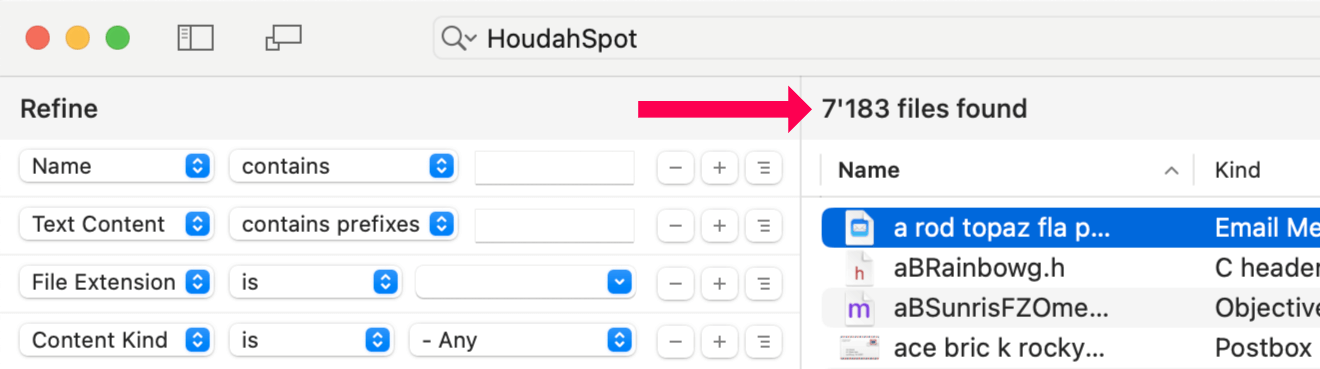
Hit Return and watch the results roll in. HoudahSpot will typically return thousands of matches. That’s fine—we want this. The next steps are all about sculpting this mass of information into something manageable.

As the results come in, use:

  • Metadata columns to sort and surface patterns

  • Quick Look preview to confirm visual relevance

  • Text preview to check keyword context

You’re not trying to find the right file yet. You’re scanning for clues.

Continue reading Iteratively Refining Searches in HoudahSpot

Supercharge Your DEVONthink 4 Search with HoudahSpot

If you manage a large collection of documents—research notes, reference material, project files—you already know that search matters just as much as storage. DEVONthink 4 is excellent at organizing and connecting
information, while HoudahSpot offers one of the most flexible search interfaces on macOS. Used together, they turn searching into something both faster and more precise.

What Each Tool Does Best

DEVONthink 4 is built for serious document management and knowledge work. It helps you:

  • Organize large document collections with intelligent filing
  • Create meaningful links between related items
  • Store PDFs, web archives, emails, bookmarks, and more
  • Surface relevant content using AI-assisted features
  • Build a long-term personal knowledge base

HoudahSpot takes macOS Spotlight and makes it far more powerful. It gives you:

  • A visual, criteria-based query builder
  • The ability to combine many file attributes in a single search
  • Reusable search templates for recurring tasks
  • Flexible rules for searching across locations and file types
  • A focused interface that avoids Finder’s clutter

The Gap: Searching Across Everything

DEVONthink’s built-in search is strong, but there are times when you want more control. For example, you might want to:

  • Search multiple DEVONthink databases alongside regular files
  • Combine criteria that aren’t easy to express in DEVONthink’s UI
  • Use the same search interface for all your data
  • Reuse carefully tuned searches for common tasks
  • Filter quickly by attributes like date, size, or document type

That’s where HoudahSpot comes in. Continue reading Supercharge Your DEVONthink 4 Search with HoudahSpot

Non-Recursive Search: Find Top-Level Files Only

HoudahSpot searches “recursively” descend into subfolders: results will include files from the folder where you are searching as well as files from folders nested within that folder.

In HoudahSpot you can list folders where you want to search. You can also exclude folders (and their subfolders) from the search: just drag the folder from the breadcrumb path at the bottom of the HoudahSpot window to the Locations/Exclude list.

In most cases, you want search results to include nested items. You have organized your files in a folder hierarchy and are using a search tool to find files anywhere in a folder tree of related files.

Sometimes you want to see only results from the top-level folder. You can repeat the above procedure to exclude more folders. Excluding all subfolders, one by one would be tedious. We will use a filter instead. Continue reading Non-Recursive Search: Find Top-Level Files Only

Efficient File Searches using Filters

HoudahSpot uses the Spotlight index maintained by macOS. This allows for lightning-fast file searches and enables HoudahSpot to find all kinds of files by name, text content, and metadata.

Spotlight does have its limitations. Some of these affect HoudahSpot. While HoudahSpot lets you combine any number of search criteria to hone in on specific files, you however cannot find or exclude files by their path.

You can, of course, use HoudahSpot to search in multiple folders at once. HoudahSpot also allows you to exclude folders from your search.

Screenshot: Smart Folder Exclusion
Multiple search locations. Smart exclusion

You do, however, need to list the folders you want to search or exclude. Since the Spotlight index does not know about file paths, you cannot set up a criterion on file paths.

For example, you cannot configure a search to ignore all files where some parent folder is named Temporary. You’d need to explicitly list all such Temporary folders.

Fortunately, HoudahSpot can filter search results to hide unwanted results. A single filter can prevent all Temporary files from cluttering up your file search.

Continue reading Efficient File Searches using Filters

Hook-ed on Files

Hook by CogSci Apps lets you create links between your documents, emails, web pages, and notes. On the Internet, links between web pages allow you to discover related content and navigate a vast sea of documents. Likewise, Hook puts files into order on your Mac.

Much like HoudahSpot, Hook is a productivity tool in the guise of a utility. Rather than solve problems you wouldn’t have without a computer, these tools empower your Mac to help you get your work done.

Of course, HoudahSpot and Hook work great together.

Continue reading Hook-ed on Files

HoudahSpot: The First 15 Years

Fifteen years ago, we released the first version of what came to be one of the most popular search tools on the Mac: HoudahSpot.

🎂 Happy Birthday, HoudahSpot!

When Apple introduced Spotlight search with Mac OS 10.4 Tiger in 2005, we felt that the Spotlight technology held a lot of promise. It allowed for blindingly fast file searches by relying on an index. We soon realized that the Spotlight interface left much of that promise unfulfilled. It lacked the finesse needed to hone in on the files we were looking for.

Thus was born the idea for HoudahSpot: “unleash Spotlight”. HoudahSpot should combine the speed of the Spotlight index with the flexibility and precision of standard file search. The idea came to life on May 8th, 2006, with the release of HoudahSpot 1.0.

Continue reading HoudahSpot: The First 15 Years