Skip to content

Houdah Blog

News, Tips & Tricks

Recent Posts

  • GeoSetter for Mac? Try this instead
  • Find Intel-only apps on your Mac before macOS drops Rosetta
  • Getting Camera Time Right to Match Photos with GPS Track Logs
  • HoudahSpot Not Finding Files? Fix Missing Results by Rebuilding the Spotlight Index
  • Why Spotlight on macOS Can’t Find Files (and How to Fix It)

Browse by Product

  • HoudahSpot
  • HoudahGeo
  • Tembo
  • Photos Workbench

Search the Houdah Blog

Subscribe via RSS

RSS feed RSS - Posts

Tag: Metadata

What’s New in Tembo 3.0?

What’s New in Tembo 3.0?

macOS 11 and 12 have introduced a dramatic new look representing a significant aesthetic departure from previous macOS versions. Tembo 3.0 adopts this refreshed Mac user interface with a fine-tuned new look, a new icon, and a redesigned toolbar. 

Moreover, Tembo 3 adds support for Macs with Apple Silicon processors. It gives you the best performance on the latest Mac hardware.

Apple Mail Plug-in

Tembo 3.0 can again search Apple Mail messages.

Starting with macOS 10.15 Catalina, Apple Mail messages are no longer available through the Spotlight index used by Tembo .

Tembo 3.0 can nonetheless find your Apple Mail messages. Tembo installs a plug-in that runs within the Mail application. This plug-in allows Tembo to include Mail message files in your search results.

Enhanced Grid View

In Grid view, you can turn on additional file information which will display information like an image’s size, f-stop, shutter speed, ISO, and other metadata directly below the file name.

File Tags

Your favorite file tags are now available from the context menu. Customizable keyboard shortcuts allow for quick tagging.

Further Enhancements

  • Search By Date: Tembo 3.0 adds new options to search for files by time frame
  • Options: New options menu to quickly adjust your search parameters. Set default options in Tembo preferences
  • Apple Silicon: Tembo 3.0 works with the latest versions of macOS and fully supports Apple Silicon Macs


Share this:

  • Share on X (Opens in new window) X
  • Share on Facebook (Opens in new window) Facebook
  • Share on LinkedIn (Opens in new window) LinkedIn
Posted on October 4, 2022October 4, 2022Author houdahCategories TemboTags Apple Mail, Files, macOS, Metadata, Search, Tags
What’s New in HoudahGeo 6.1?

What’s New in HoudahGeo 6.1?

HoudahGeo 6.1 builds upon last year’s HoudahGeo 6 release to bring you the most comprehensive photo geocoding and geotagging solution for Mac.

KESTREL Weather Log Files

HoudahGeo 6 can add weather information – ambient temperature, air pressure, and humidity – to your photos. Such data can be recorded using KESTREL Drop devices. HoudahGeo 6.1 adds support for more variants of the KESTREL CSV log file format.

Weather Data From GPX Files

Some GPS devices can record weather information along with tracklogs. HoudahGeo 6.1 can now read weather data from GPX files that use the Garmin TrackPointExtension format to store such data.

Scuba Dive Data From GPX Files

HoudahGeo 6 can add scuba diving information like depth below water to your photos. Typically this information is obtained from UDDF dive log files.

Some dive computers and dive logging software can create GPX tracklog files. HoudahGeo 6.1 can now dive log data from GPX files that use the Garmin TrackPointExtension format to store such data.

Apple Aperture on macOS Catalina and Big Sur

HoudahGeo now works with Aperture versions modified by Retroactive to run on recent versions of macOS. Read more…

Further Enhancements

Adobe Lightroom: HoudahGeo now supports Lightroom libraries set up with symbolic links to preview files.

Apple Photos: HoudahGeo now reads malformed XMP sidecar files created by the Export Originals function of the Apple Photos application.

Performance: HoudahGeo 6.1 improves performance when working with large projects.

Window Layout: HoudahGeo now remembers the width of the media browser and inspector panes when switching between processing steps.

Share this:

  • Share on X (Opens in new window) X
  • Share on Facebook (Opens in new window) Facebook
  • Share on LinkedIn (Opens in new window) LinkedIn
Posted on July 6, 2021July 7, 2021Author houdahCategories HoudahGeoTags EXIF, Geocode, Geotag, GPS, Location, macOS, Metadata, Scuba
What’s New in HoudahSpot 6.1?

What’s New in HoudahSpot 6.1?

HoudahSpot 6.1 distills the feedback we received on the HoudahSpot 6 upgrade into a series of refinements: small changes that will subtly improve your file management.

Apple Mail Messages and MailTags

HoudahSpot can now find Apple Mail messages tagged by SmallCubed’s MailTags plug-in. HoudahSpot searches message keywords and project names. Requires MailSuite 2021 for macOS Big Sur.

Search tagged Mail messages
Find Mail messages by MailTag keywords

Continue reading What’s New in HoudahSpot 6.1?

Share this:

  • Share on X (Opens in new window) X
  • Share on Facebook (Opens in new window) Facebook
  • Share on LinkedIn (Opens in new window) LinkedIn
Posted on April 14, 2021April 14, 2021Author houdahCategories HoudahSpotTags Apple Mail, Files, macOS, Metadata, Organize, Search
Working With the File Info Pane

Working With the File Info Pane

HoudahSpot uses the macOS Spotlight index for ultra-fast file searches. By building upon Spotlight, HoudahSpot can find files by name, text content, as well a wide variety of file properties and metadata.

Spotlight in turn relies on importer plug-ins to read all kinds of files. When indexing a file, Spotlight calls upon the plug-in that specializes in the file type at hand to extract text and metadata. Such importers are installed with the system and with applications that introduce new file formats.

The Info pane in HoudahSpot shows the information available for a given file. This is the metadata that the importer plug-in has shared with the Spotlight index.

File Info Pane: All Metadata
Photo file metadata

Continue reading Working With the File Info Pane

Share this:

  • Share on X (Opens in new window) X
  • Share on Facebook (Opens in new window) Facebook
  • Share on LinkedIn (Opens in new window) LinkedIn
Posted on February 13, 2021February 21, 2021Author houdahCategories HoudahSpotTags EXIF, Files, macOS, Metadata, Search, Tips & Tricks
Was ist neu in HoudahSpot 6.0?

Was ist neu in HoudahSpot 6.0?

Read the English version of this post: What’s New In HoudahSpot 6.0

Mit macOS 11.0 Big Sur hält ein drastisches neues Aussehen Einzug – eine bedeutende ästhetische Abkehr von früheren macOS-Versionen. HoudahSpot 6.0 passt sich dieser aufgefrischten Mac-Benutzeroberfläche mit einem fein abgestimmten neuen Aussehen, einem neuen Icon und einer neu gestalteten Symbolleiste an.

Zudem kommt mit HoudahSpot 6 Unterstützung für Macs mit Apple-Silicon-Prozessoren.  Das bringt beste Leistung auf der aktuellsten Mac-Hardware.

HoudahSpot 6.0 hat selbstverständlich viel mehr zu bieten als gutes Aussehen. Es enthält eine Fülle von Funktionen und Verbesserungen, die deine Produktivität verbessern werden.

HoudahSpot 6 screenshot Continue reading Was ist neu in HoudahSpot 6.0?

Share this:

  • Share on X (Opens in new window) X
  • Share on Facebook (Opens in new window) Facebook
  • Share on LinkedIn (Opens in new window) LinkedIn
Posted on December 9, 2020December 9, 2020Author houdahCategories HoudahSpotTags Apple Mail, Files, macOS, Metadata, Organize, Search
What’s New in HoudahSpot 6.0?

What’s New in HoudahSpot 6.0?

macOS 11.0 Big Sur has introduced a dramatic new look representing a significant aesthetic departure from previous macOS versions. HoudahSpot 6.0 adopts this refreshed Mac user interface with a fine-tuned new look, a new icon, and a redesigned toolbar. 

Moreover, HoudahSpot 6 adds support for Macs with Apple Silicon processors. It gives you the best performance on the latest Mac hardware.

Of course, HoudahSpot 6.0 has much more to offer than good looks. It comes packed with features and enhancements that will improve your productivity.

HoudahSpot 6 screenshot
HoudahSpot running on macOS Big Sur

Continue reading What’s New in HoudahSpot 6.0?

Share this:

  • Share on X (Opens in new window) X
  • Share on Facebook (Opens in new window) Facebook
  • Share on LinkedIn (Opens in new window) LinkedIn
Posted on December 7, 2020January 14, 2021Author houdahCategories HoudahSpotTags Apple Mail, Files, macOS, Metadata, Organize, Search9 Comments on What’s New in HoudahSpot 6.0?
Correct the Date and Time of Photos using HoudahGeo 6.0

Correct the Date and Time of Photos using HoudahGeo 6.0

While the principles described in this blog post hold true, the actual Camera Setup interface has been reimagined for HoudahGeo 7.

When we refer to time we can say “It’s 2 PM”. This is easy enough to understand. It is early afternoon at our current location.

Digital cameras record date and time in a similar manner. When you load a photo onto your computer, you can see the time as recorded by the camera: 2 PM. The computer, however, cannot make much sense of this information. It is missing an important clue: location or time zone. For all it knows, “2 PM” could mean early afternoon in Hawaii or early afternoon in New York. A 6-hour difference!

What’s more, the camera clock may not actually have the correct time. You could have forgotten to set it as you traveled through time zones. Your photo of the New York night sky could indeed show a “2 PM” camera time.

Photo with incorrect time

We thus face two tasks:

  1. Set the correct time on the photo. E.g. “2 PM Hawaiian time”
  2. Make that time look “right”. E.g. “8 PM New York time”

Let’s walk through the process.

Continue reading Correct the Date and Time of Photos using HoudahGeo 6.0

Share this:

  • Share on X (Opens in new window) X
  • Share on Facebook (Opens in new window) Facebook
  • Share on LinkedIn (Opens in new window) LinkedIn
Posted on May 4, 2020April 10, 2026Author houdahCategories HoudahGeoTags Clock, EXIF, Geocode, GPS, gps4cam, Metadata, Tips & Tricks
What’s New in HoudahSpot 5.1

What’s New in HoudahSpot 5.1

It’s already been a year since we released HoudahSpot 5.0. In that time HoudahSpot saw a series of minor updates bring enhancements, compatibility with macOS 10.15 Catalina, and – yes – bug fixes.

HoudahSpot 5.1 adds a handful of improvements. These are not so much features as seemingly small tweaks that will delight you by subtly improving your file searching experience.

Enhanced Quick Look Preview

XMP sidecars are files that sit next to image files to hold metadata like location information, keywords, and description. Precisely this rich information sometimes makes it easier to find the sidecars than the actual image files. Yet it is the images we want to see. Quick Look preview in HoudahSpot 5.1 locates the image file associated with the XMP sidecar and uses that image for a preview.

DEVONthink is a smart document management solution for Mac. It can catalog, organize, and work with any type of file. When HoudahSpot 5.1 comes upon a DEVONthink item it will call upon Quick Look to show a preview of the cataloged file.

“It’s the little details that are vital. Little things make big things happen.” – John Wooden

Continue reading What’s New in HoudahSpot 5.1

Share this:

  • Share on X (Opens in new window) X
  • Share on Facebook (Opens in new window) Facebook
  • Share on LinkedIn (Opens in new window) LinkedIn
Posted on April 16, 2020April 29, 2020Author houdahCategories HoudahSpotTags DEVONthink, Metadata, News2 Comments on What’s New in HoudahSpot 5.1
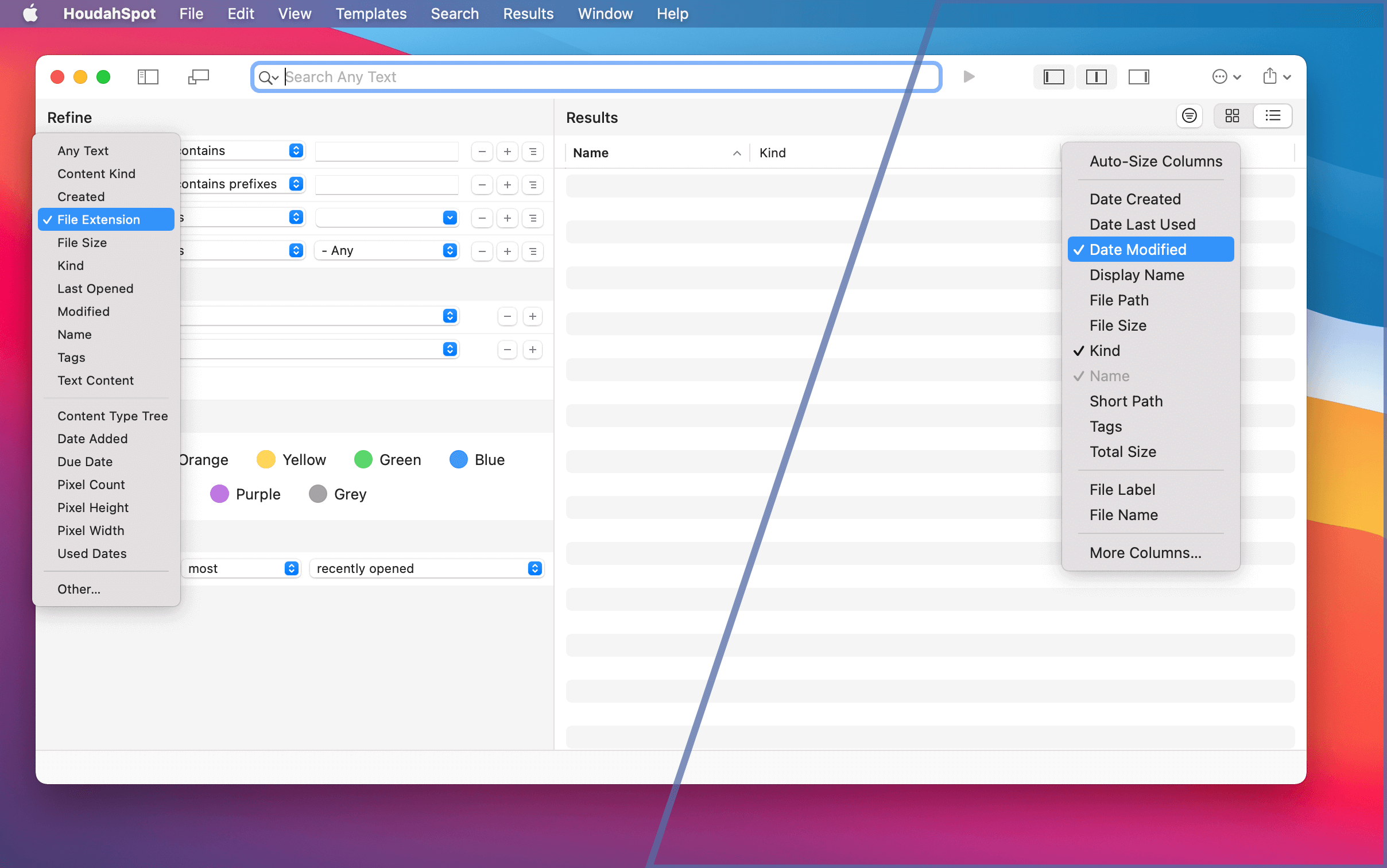
What Search Criteria are Available in HoudahSpot?

What Search Criteria are Available in HoudahSpot?

When you open HoudahSpot – and have not yet changed the default setup – you will see three preconfigured search criteria in the Refine section:

Preconfigured Search Criteria in HoudahSpot

  • Name – e.g. the file name or the mail subject of Apple Mail messages
  • Text Content – e.g. of word processing documents, presentations …
  • Content Kind – file type like Image, PDF, Mail, Folder …

Continue reading What Search Criteria are Available in HoudahSpot?

Share this:

  • Share on X (Opens in new window) X
  • Share on Facebook (Opens in new window) Facebook
  • Share on LinkedIn (Opens in new window) LinkedIn
Posted on May 8, 2018May 8, 2018Author Susanne BernardCategories HoudahSpotTags Files, macOS, Metadata, Search, Tips & Tricks
Inspect File Metadata with HoudahSpot

Inspect File Metadata with HoudahSpot

MacOS file metadata holds many useful and diverse file facts. This is not limited to file size, extension or creation date. Depending on the type and the application that created it, there is a whole lot of information available on a file’s properties.

Sender name, duration, f-stop number – and more

For e-mail messages, this can be sender name, e-mail subject and attachment type. Or duration, bit rate and musical genre for audio files. In photos, you can even find information on camera model, f-stop number and exposure time.

This metadata is useful when organizing files by specific criteria or searching for files with certain properties. E.g. images with a resolution higher than 72 dpi, audios shorter than thirty seconds, or e-mail messages containing PDF attachments.

Inspecting file metadata using HoudahSpot

But what metadata is available for a specific file type? How is it labeled? And what kind of information does it contain? HoudahSpot can help you find out.

Continue reading Inspect File Metadata with HoudahSpot

Share this:

  • Share on X (Opens in new window) X
  • Share on Facebook (Opens in new window) Facebook
  • Share on LinkedIn (Opens in new window) LinkedIn
Posted on January 1, 2018February 8, 2018Author houdahCategories HoudahSpotTags Files, macOS, Metadata, Screencast, Search, Tips & Tricks

Posts pagination

Previous page Page 1 Page 2 Page 3 Next page
Proudly powered by WordPress
Manage Consent
To provide the best experiences, we use technologies like cookies to store and/or access device information. Consenting to these technologies will allow us to process data such as browsing behavior or unique IDs on this site. Not consenting or withdrawing consent, may adversely affect certain features and functions.
Functional Always active
The technical storage or access is strictly necessary for the legitimate purpose of enabling the use of a specific service explicitly requested by the subscriber or user, or for the sole purpose of carrying out the transmission of a communication over an electronic communications network.
Preferences
The technical storage or access is necessary for the legitimate purpose of storing preferences that are not requested by the subscriber or user.
Statistics
The technical storage or access that is used exclusively for statistical purposes. The technical storage or access that is used exclusively for anonymous statistical purposes. Without a subpoena, voluntary compliance on the part of your Internet Service Provider, or additional records from a third party, information stored or retrieved for this purpose alone cannot usually be used to identify you.
Marketing
The technical storage or access is required to create user profiles to send advertising, or to track the user on a website or across several websites for similar marketing purposes.
  • Manage options
  • Manage services
  • Manage {vendor_count} vendors
  • Read more about these purposes
View preferences
  • {title}
  • {title}
  • {title}